
How to Check Pending Credit Transfer Requests in Your ABC ID
Checking pending credit transfer requests in your ABC ID is an essential step to stay on top of your academic progress. After submitting a credit transfer request, you may see it marked as “pending,” which can leave you wondering about the status.
This guide will help you understand what that “pending” status means, how to check the progress of your request, and what actions to take if you need to follow up.

Why checking pending credit transfer requests matters
Credit transfers are not just a formality—they decide whether your completed coursework gets officially recognized by your new institution. Keeping tabs on pending requests and regularly checking your Credit Transfer Status means you can:
Avoid last-minute surprises before exams or admissions deadlines.
Act promptly if any documentation is missing.
Keep your academic record accurate and up-to-date.
What is the Academic Bank of Credits (ABC)?
ABC is a government-backed digital platform that stores and tracks academic credits earned from approved courses and institutions. Under the National Education Policy allows:
Accumulation of credits over time.
Seamless transfer between universities.
Long-term validity of credits for future courses.
Think of it like a bank account—your credits are the deposits, and transfers are transactions between institutions.
Eligibility to use the ABC portal
Any student who has an ABC ID can use the portal. This includes:
Students in recognized higher education institutions.
Students transferring between universities or colleges.
Learners pursuing skill-based courses approved under NEP 2020 and ABC ID guidelines.
How the Student Dashboard works
The dashboard is your central control panel. From here you can:
View all credits earned to date.
Initiate a credit transfer request.
Monitor pending, approved, or rejected requests.
Read the remarks left by institutions.
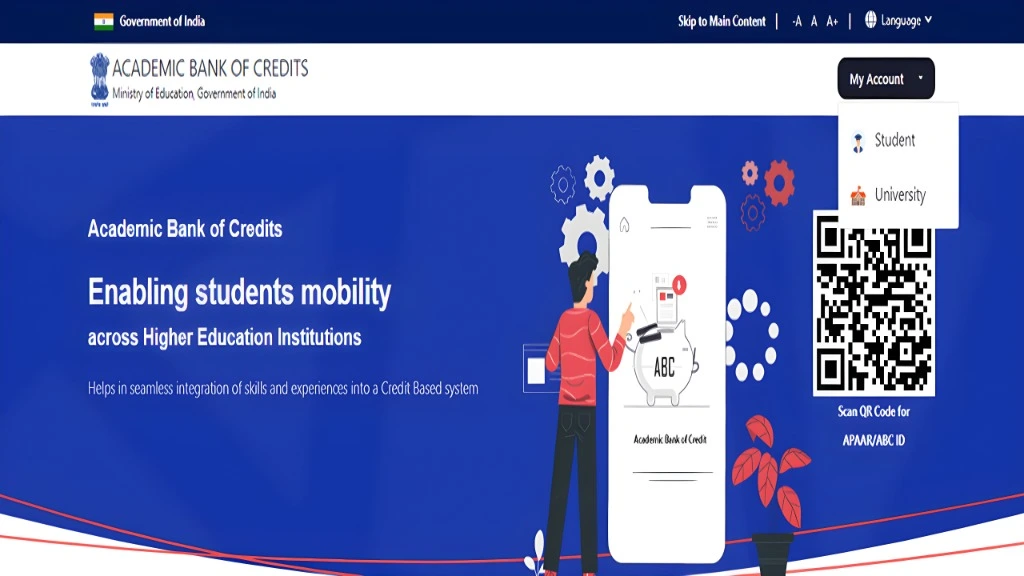
Step-by-step: Track your pending credit requests
Log in to the ABC portal using your credentials (often linked with DigiLocker).
Access your dashboard—you’ll see an overview of all your academic credits.
Select “Check Request Status”—pending transfers will appear here with a “Pending” label.
Expand for details—view timestamps, remarks, and any institution-specific notes.
Save a record—take a screenshot or note down the Request ID for future reference.
Understanding pending status
Pending status means your request has been submitted successfully but hasn’t been approved or rejected yet. Reasons for being in this stage include:
The receiving institution is reviewing the credits.
Administrative delays during busy academic periods.
Awaiting cross-verification from the originating institution.
Common reasons a request stays pending
Difference between pending and rejected requests
Pending:
Still under review; no final decision yet.
Rejected:
Reviewed and declined, usually with a reason such as course mismatch, credit limits, or missing documentation.
What to do if your request is pending for too long
Contact your institution’s ABC coordinator with your Request ID.
Verify all personal and academic details on the request.
If needed, resubmit the request with corrections.
Keep records of all communications for follow-up.
Time frame for credit transfer approvals
While many transfers are processed in 7–15 working days, some can take up to a month or more—especially if they involve multiple departments or cross-state verification.
Security tips when using the ABC portal
Quick tips to stay on top of things
Check your dashboard twice a week until your request is approved.
Use a notebook or app to track your Request IDs and dates.
Bundle multiple credit requests into one session to save time.
Set a reminder a few days before important academic deadlines.
FAQs
Final Thoughts
Checking pending credit transfer requests in your ABC ID isn’t complicated—it’s just about knowing where to click and what the statuses mean. A few minutes on the portal can save you weeks of uncertainty. Stay proactive, keep your records in order, and you’ll have your credits where you need them—on time.